Resume builder

Build an ATS-friendly resume for remote jobs

Choose one of twelve templates, add your experience, and check your resume against any job description before you apply. Then export it to PDF or Word.

3 resumes free. Plus from $9.99 a month. Cancel any time.

A professional working on his resume at a laptop
A resume made with the Modern template
A resume made with the Sidebar template
88Keyword matchagainst the job you paste

What you get

What the resume builder includes

It is made for people who apply to many remote roles: tailor the resume to each job, keep the layout clean, and export the format the employer asks for.

Twelve templates, ATS-safe ones included

Single-column layouts such as Classic and Compact ATS are the safest for applicant tracking systems. Switch templates any time without retyping.

A keyword check for each job

Paste a job description to get a score and the terms your resume is missing.

Before

Handled customer emails.

After (example)

Answered 60+ customer emails a day and kept satisfaction above 95%.

AI help you can edit

Draft a summary and strengthen weak bullet points. You decide what stays.

PDF
DOCX

PDF and Word export

A clean PDF for most applications, a Word file when a form asks for one.

Unlimited resumes

Keep one version for each type of role instead of rewriting a single document.

Cover letters too

The same account writes a tailored cover letter for every application. Free accounts get 3.

Templates

Twelve resume templates

Classic and Compact ATS are plain single-column layouts that applicant tracking systems read best. The others add colour, a sidebar or a photo. Pick the look that fits the role.
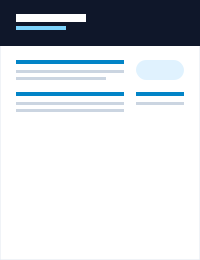
Modern resume template preview
ModernA bold header band and clean sections. A safe default for most roles.
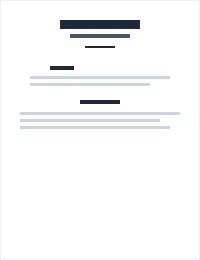
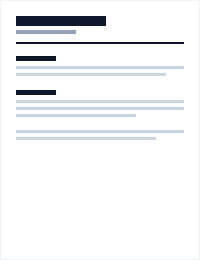
Classic resume template preview
ClassicA traditional single column. Familiar to recruiters in every industry.
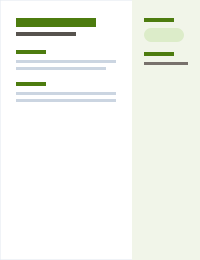
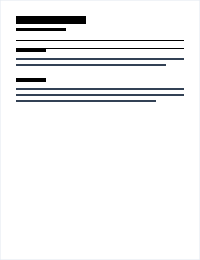
Compact ATS resume template preview
Compact ATSA plain, tight layout that applicant tracking systems read easily.
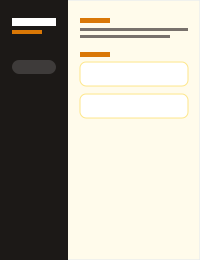
Sidebar resume template preview
SidebarSkills and contact details on the side, experience in the main column.
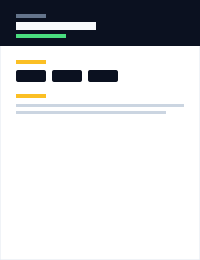
Technical resume template preview
TechnicalPuts skills and projects up front. Built for engineering and data roles.
Executive resume template preview
ExecutiveRestrained and formal, with room for a longer career story.
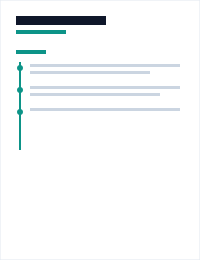
Timeline resume template preview
TimelineShows your path as a timeline. Good for steady progression.
Creative resume template preview
CreativeMore colour for design, marketing and content roles.
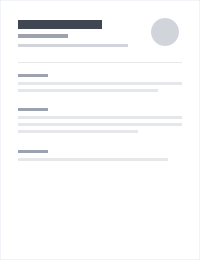
Minimal resume template preview
MinimalLight and airy, with a small photo in the corner.
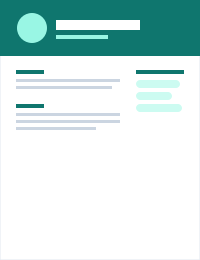
Bold resume template preview
BoldA teal banner with your name and photo, and skills in a side column.
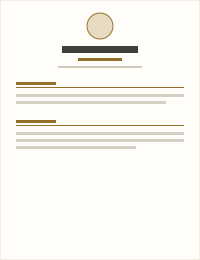
Elegant resume template preview
ElegantSerif type, a centred header and thin gold rules. Suits formal fields.
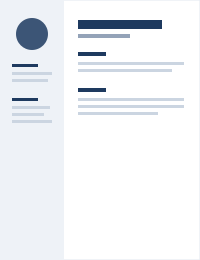
Professional resume template preview
ProfessionalA navy side rail with your photo, contact details and skills.

How it works

From blank page to finished resume

  1. 1

    Add your details

    Fill in your contact details, experience, education, skills and links. Add a short summary, or ask the AI helper for a first draft.

  2. 2

    Choose a template

    Switch templates at any time without retyping. Add a profile photo if the role or country expects one.

  3. 3

    Check it against a job

    Paste a job description and see which keywords your resume covers and which it misses, then tighten it up.

  4. 4

    Export and apply

    Download a PDF for most applications or a Word file when a form asks for one. Keep one resume per role.

Advice

How to write a resume for a remote job

Remote employers read many similar applications. These six habits make yours easier to trust and quicker to scan.

A remote professional working on a laptop
Six simple habitsthat help a remote resume stand out
  1. Show that you work well without supervision

    Give one or two examples where you planned your own work, hit a deadline on your own, or ran a project across time zones.

  2. Put numbers next to results

    Tickets closed, revenue grown, time saved. A number turns a duty into a result and is easy to scan.

  3. Name the tools you use to work remotely

    Slack, Notion, Zoom, Jira, GitHub, or whatever your field uses. Recruiters and ATS filters both look for them.

  4. Say where and when you can work

    A short line with your country and the hours you are available answers a question employers always have.

  5. Match the job, honestly

    Reuse the words from the posting where they describe something you really did. Do not add skills you do not have.

  6. Keep the structure simple

    One or two pages, a clear heading for each section, and no tables or images that hide text from parsers.

Pricing

Free to try, more with Plus and Pro

Searching and tracking jobs stays free, and every free account gets 3 resumes and 3 cover letters. Plus raises the limits and Pro removes them.

Plans

From $9.99 per month

Plus is $9.99 a month and Pro is $19.99 a month. Pay yearly and pay about 17% less. Cancel any time. See the refund policy.

  • Resume builder with 12 templates
  • PDF and Word export
  • Keyword check against any job
  • AI cover letters on every plan
A smiling professional at work

FAQ

Questions about the resume builder

Is the resume builder free?
Searching and tracking jobs on Apply Remote is free, and every free account can make 3 resumes to try the builder. Plus adds up to 100 resumes, autosave and unlimited downloads for $9.99 a month, or $99.99 a year. Pro has no limit on resumes and costs $19.99 a month, or $199.99 a year. You can cancel any time, and our refund policy explains the rest.
Will my resume pass an ATS?
No tool can promise that, because every employer configures its system differently. The templates use a simple structure that parsers read well, and the keyword check helps you cover the terms a job asks for.
What is the difference between a CV and a resume?
In the UK, Europe and many other regions, "CV" is the normal word for the document you send with a job application. In the US and Canada the same document is usually called a resume. The builder works for both.
Can I download my resume as a Word file?
Yes. You can export every resume as a PDF or as a Word (.docx) file.
Do you write the resume for me?
The AI helper can draft a summary and improve bullet points from what you enter. You review and edit everything, because you are the one who has to stand behind it in an interview.
What happens to my data?
Your resume belongs to you. Read how we handle personal data in our privacy policy.

Ready to build a resume that fits the job?

Create your account, pick a template, and check your resume against the remote role you want.

A remote professional working on a laptop
Your resume is readyATS score, ready to send